The full-page app
Parcelcraft runs in two places inside the Stripe dashboard:
- The full-page app — a dedicated page with a unified Orders list, a Shipment history tab, bulk shipping, and quick access to your wallet, pickups, and end-of-day forms.
- The drawer — the compact side panel that opens on top of whatever dashboard page you’re viewing.
Both surfaces offer identical functionality, so use whichever fits the moment: the drawer is handy while you’re looking at a specific payment or invoice, while the full page gives you more room to work through many orders at once. The one exception is 1-click shipping, which is only available in the drawer due to a Stripe SDK limitation — bulk shipping in the full-page app is the high-volume equivalent.
Open the full-page app
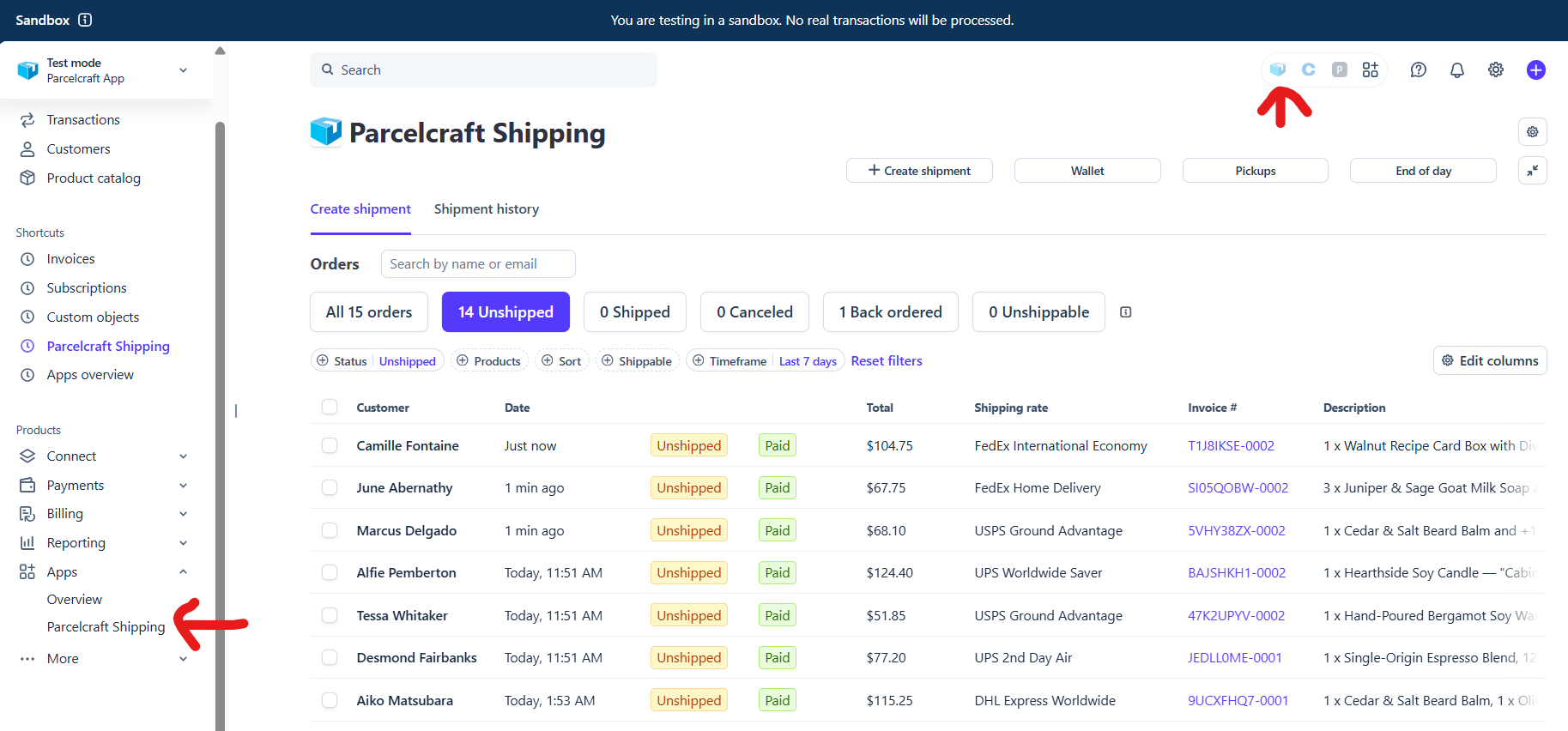
There are two entry points in the Stripe dashboard:
- Full page: in the left sidebar, click Apps, then Parcelcraft Shipping. Once you’ve used it, Stripe also lists it under Shortcuts at the top of the sidebar for one-click access.
- Drawer: click the Parcelcraft icon in the app tray at the top right of the dashboard.
Or jump straight there with these links:
- Open the full-page app
- Open the drawer — where you can 1-click ship items
Switch between the full page and the drawer
You can move between the two surfaces at any time:
- In the drawer, click Expand to full page view to jump to the full-page app.
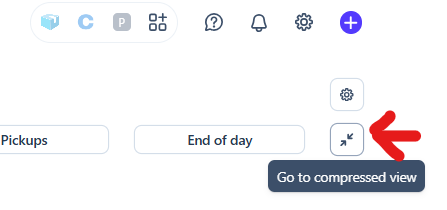
- In the full-page app, click the compress button at the top right of the page to return to the drawer.
What’s on the page
The full-page app has two tabs:
- Create shipment — the unified Orders list, built from your payments and invoices, where you create one or many shipments.
- Shipment history — every shipment you’ve created, including test labels and shipments that didn’t start from an order.
Above the tabs, a row of buttons gives you quick access to common tasks:
| Button | What it does |
|---|---|
| + Create shipment | Start a blank shipment that isn’t tied to a payment or invoice |
| Wallet | View and add funds to your EasyPost balance |
| Pickups | Schedule a carrier driver pickup for your packages |
| End of day | Create an end-of-day scan form (shipping manifest) for carrier pickup |